
Skincare & Health Supplements
Rheoderm — Skincare Nutraceuticals
Product website for Rheoderm, a UK-made range of oral hyaluronic acid supplements that help reduce the visible signs of skin ageing.
Help your team with the full Microsoft suite
Microsoft 365 combines Outlook, Teams, Word, Excel, PowerPoint, SharePoint, and OneDrive in a unified cloud subscription trusted by millions of businesses worldwide. A proper setup ensures your organisation benefits from every feature, with the right security policies, user configurations, and integrations in place from day one. WebElev8 takes care of every aspect of your Microsoft 365 deployment and migration.
Clear reasons to choose this work, based on what your business needs.
Microsoft Exchange-powered email with Outlook gives your team an industry-leading email client with your professional business domain.
Teams provides chat, video meetings, and file collaboration in a single hub, keeping your team connected whether they work in the office, at home, or on the go.
Every Microsoft 365 user gets 1TB of OneDrive cloud storage, enabling secure file access from any device and automatic backup of important documents.
Subscribers get the latest versions of Word, Excel, PowerPoint, Access, and Publisher installed on up to five devices per user, always kept up to date.
Microsoft 365 includes enterprise security features such as multi-factor authentication, conditional access, threat protection, and data loss prevention policies.
The Microsoft 365 admin centre gives your IT team full visibility and control over users, devices, licences, security policies, and compliance across your organisation.
The exact scope is agreed in your written quote before work starts.
Full Microsoft Exchange Online configuration including mailboxes, shared mailboxes, distribution lists, room calendars, and resource accounts for your organisation.
We configure Azure Active Directory with user accounts, groups, and role assignments, providing the identity foundation that all Microsoft 365 services rely on.
We set up SharePoint Online as a team intranet and document repository, with site structures, libraries, and permissions tailored to how your organisation works.
Microsoft Teams is configured with channels, meeting policies, and app integrations, giving your team a ready-to-use collaboration space from day one.
We migrate your existing email, calendar, and contacts from your previous system to Microsoft 365 using Microsoft's migration tools, preserving your full email history.
We enforce multi-factor authentication across all user accounts, dramatically reducing the risk of account compromise from password breaches or phishing attacks.
We configure conditional access policies that restrict access to company data based on user location, device compliance, and other risk signals.
We handle licence assignment, ensuring each user has the right Microsoft 365 plan for their role, and advise on optimising your licence mix to control costs.
You see what is happening, what comes next and what needs your approval.
We create your Microsoft 365 tenant, select the appropriate licence plans, verify your domain, and configure initial tenant-wide security and compliance settings.
We create all user accounts, configure Exchange Online, Teams, and SharePoint, and apply security policies before migrating any live services.
We migrate email, calendar, and contacts from your existing system, and transfer any existing files to OneDrive or SharePoint as required.
We provide administrator training for your team's IT manager and user onboarding guidance to help everyone adopt Microsoft 365's tools productively.
Product website for Rheoderm, a UK-made range of oral hyaluronic acid supplements that help reduce the visible signs of skin ageing.

B2B cybersecurity web platform showcasing ethical IT management, vulnerability assessments, and threat mitigation services.
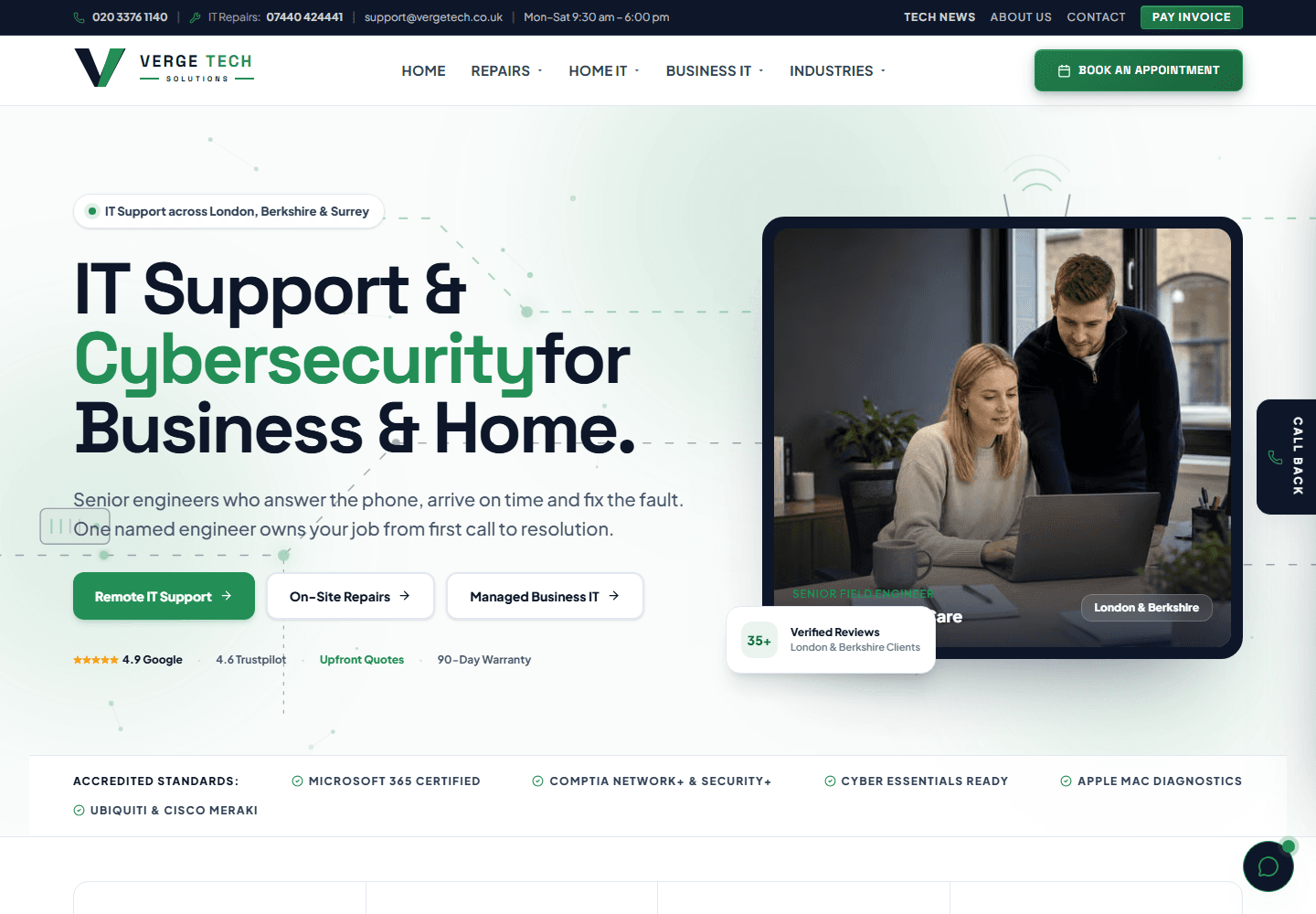
High-performance Next.js corporate website deployed to Cloudflare Pages edge network, featuring regional IT support silos across London, Berkshire, and Surrey.
Tell us what is not working, or what you would like to build. We will come back with honest advice and a fixed written quote.
Request a quote